Keepfolio
Family Docs & Dates
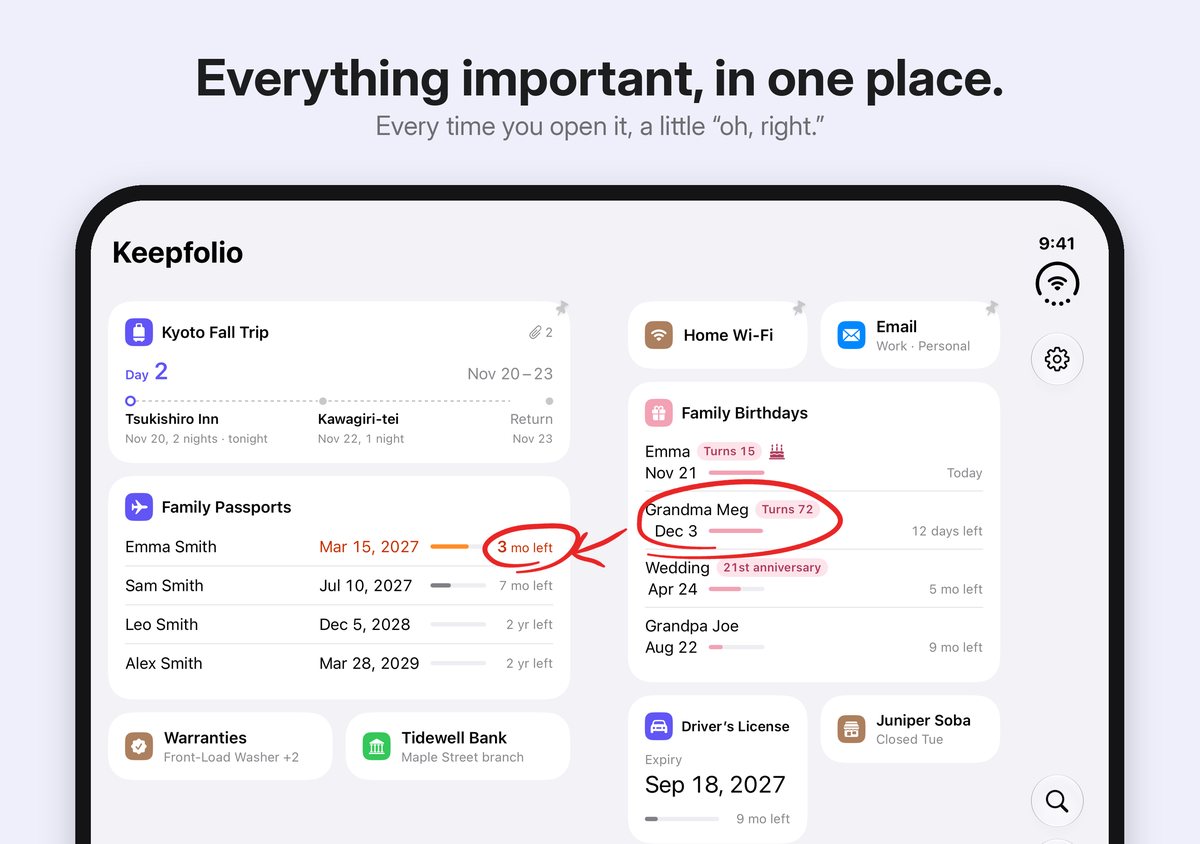
Everything important, in one place.
Every time you open it, a little “oh, right.”
New in 1.2: Repairs & Projects. Your contractors and every visit, on one card.
Keepfolio is an iPhone app that keeps the information you need, but rarely think about, as cards on a single screen: passport expiry dates, family birthdays, travel booking confirmations, and the numbers you look up again and again. It is made by jeos, an independent developer.
- iPhone (iOS 26 or later)
- Supports iPhone Duo
- Free for up to 5 cards
- One-time purchase
- No ads, no account
- Nothing sent to any server
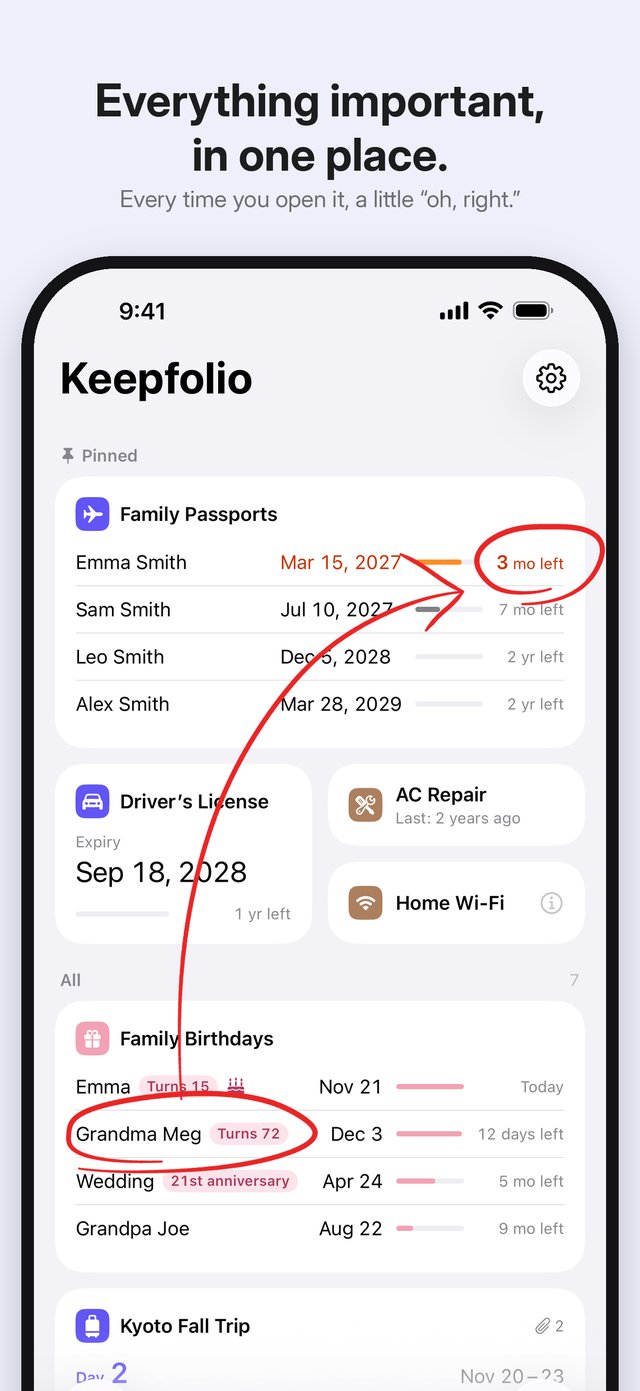
Every time you open it, a little “oh, right.”
You open it to check how old your mother is turning, and the card next to it tells you that your daughter's passport expires in three months.
Keepfolio deliberately puts unrelated information side by side on one screen, so that while you are there for one thing, you notice another. It is not an app for chasing deadlines. It is a place where the important things you never set out to remember come into view on their own.
Where it helps
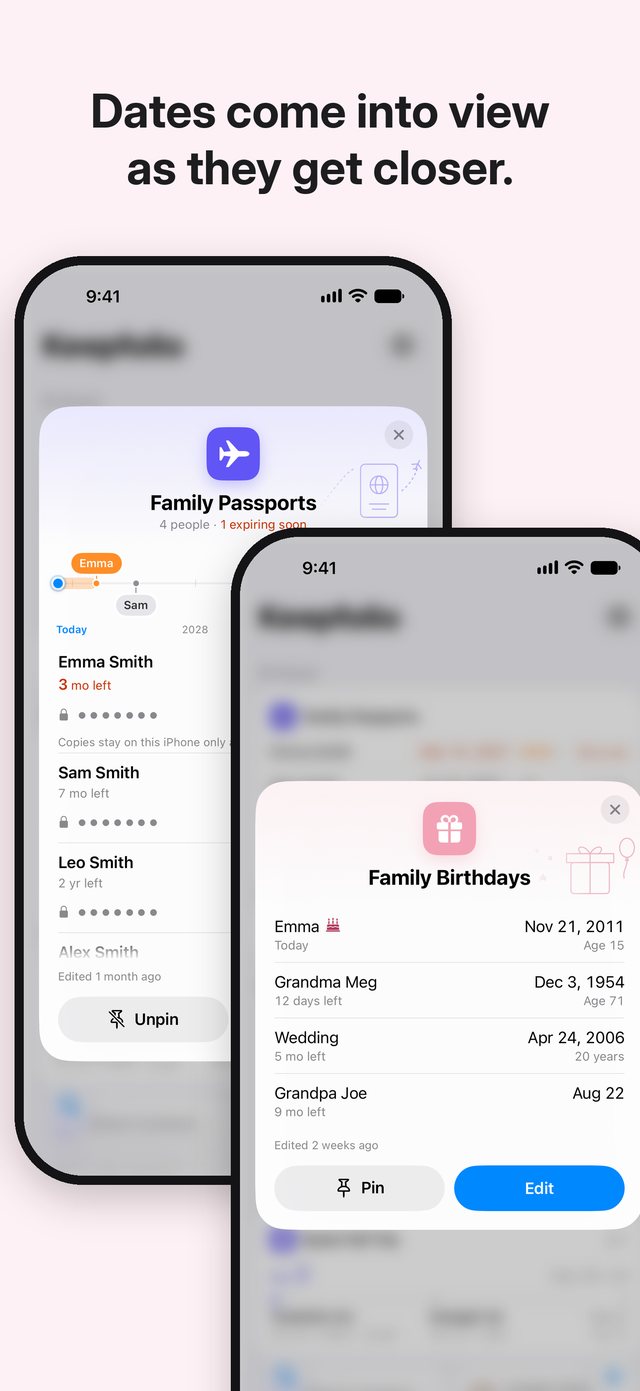
Family passports and birthdays: dates come into view as they get closer.
Keep your whole family's passports on a single card. Each one shows the time left with a bar and a label such as “3 mo left”. As a date gets close, its color changes and a small number appears on the app icon. No sounds, no banners. Birthdays and anniversaries repeat every year and show the age or the anniversary coming up.
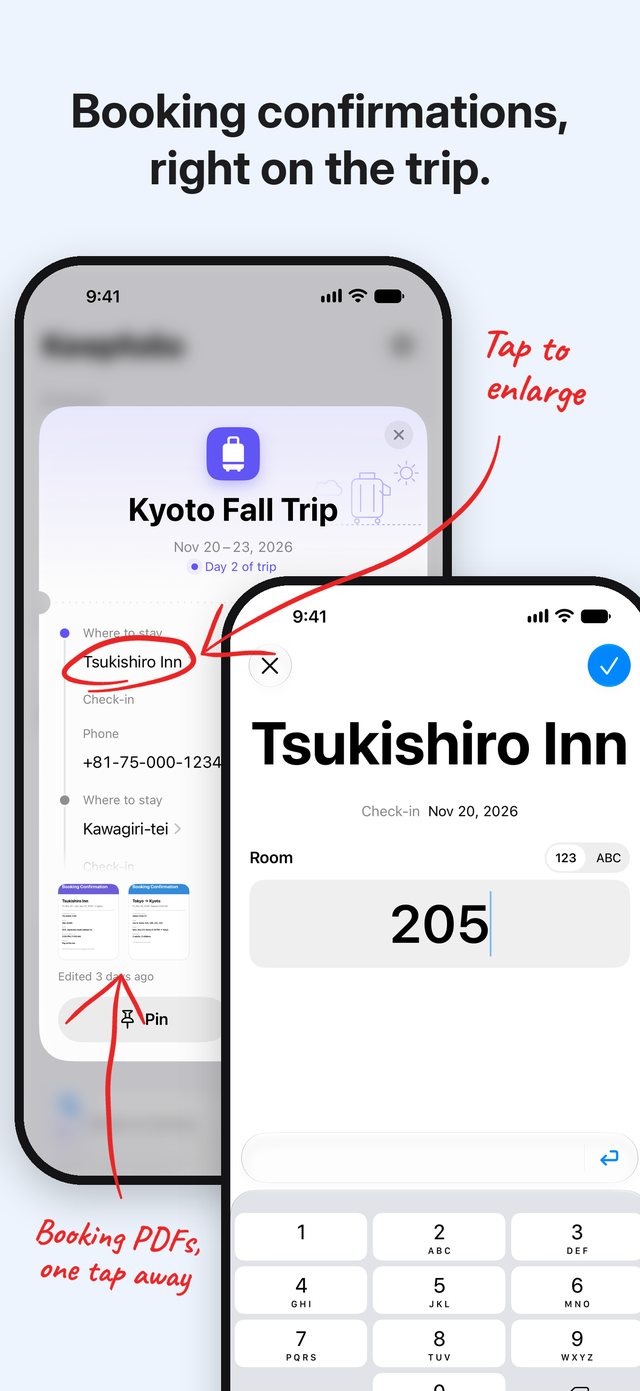
Travel: booking confirmations, right on the trip.
One card per trip, with your dates, where you stay and their phone numbers. Attach hotel and flight confirmations as PDFs or photos. To save a booking email, open it in Mail, tap Print, then Share, and choose Keepfolio. Tap the name of where you are staying to show it large, ready to hand to a taxi driver, and note your room number on the same screen. While you are away, the card shows how far along you are, like “Day 2 of trip”.
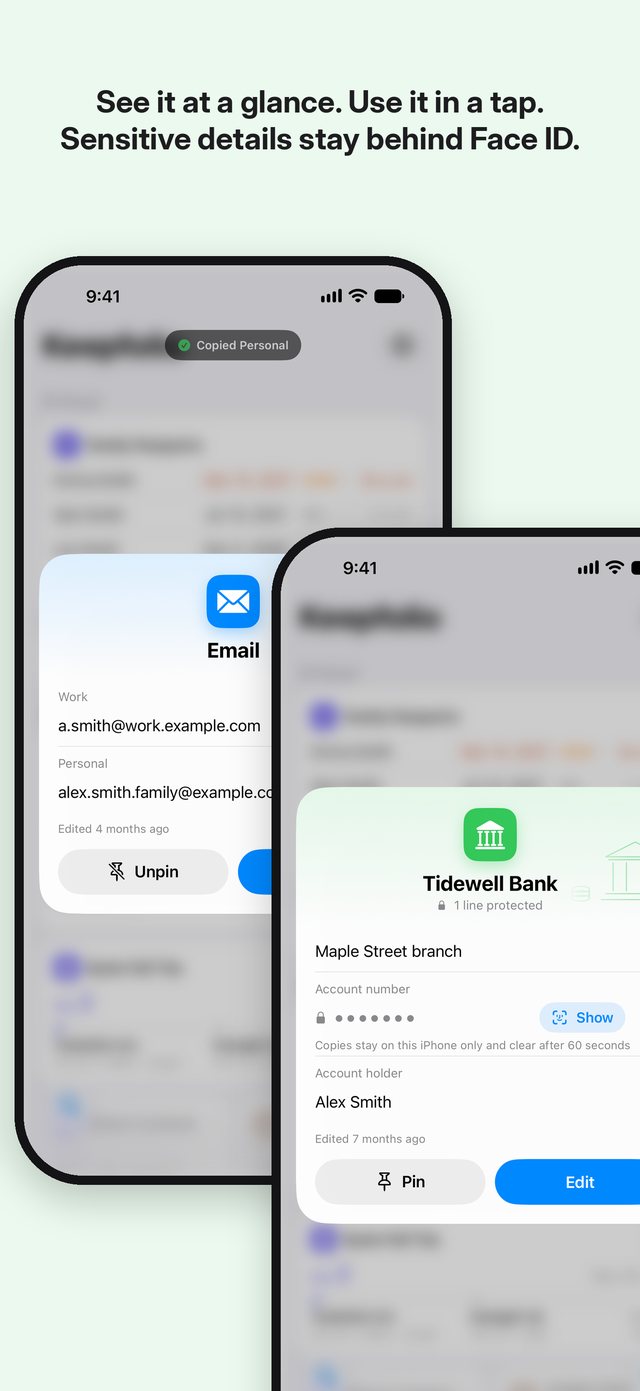
Everyday numbers: see it at a glance, use it in a tap.
Email addresses, bank accounts, your home Wi-Fi, a favorite restaurant. Open a card and tap the mark on a line to copy it, or tap a phone number to call. To show a number at a counter, touch and hold the line and it fills the screen in landscape.
Warranties: no more hunting for them.
Keep each product's warranty as a photo or PDF with a short note, all on one card. Even a note about where you put the paper copy saves a search later.
Repairs & Projects: when was it last fixed?
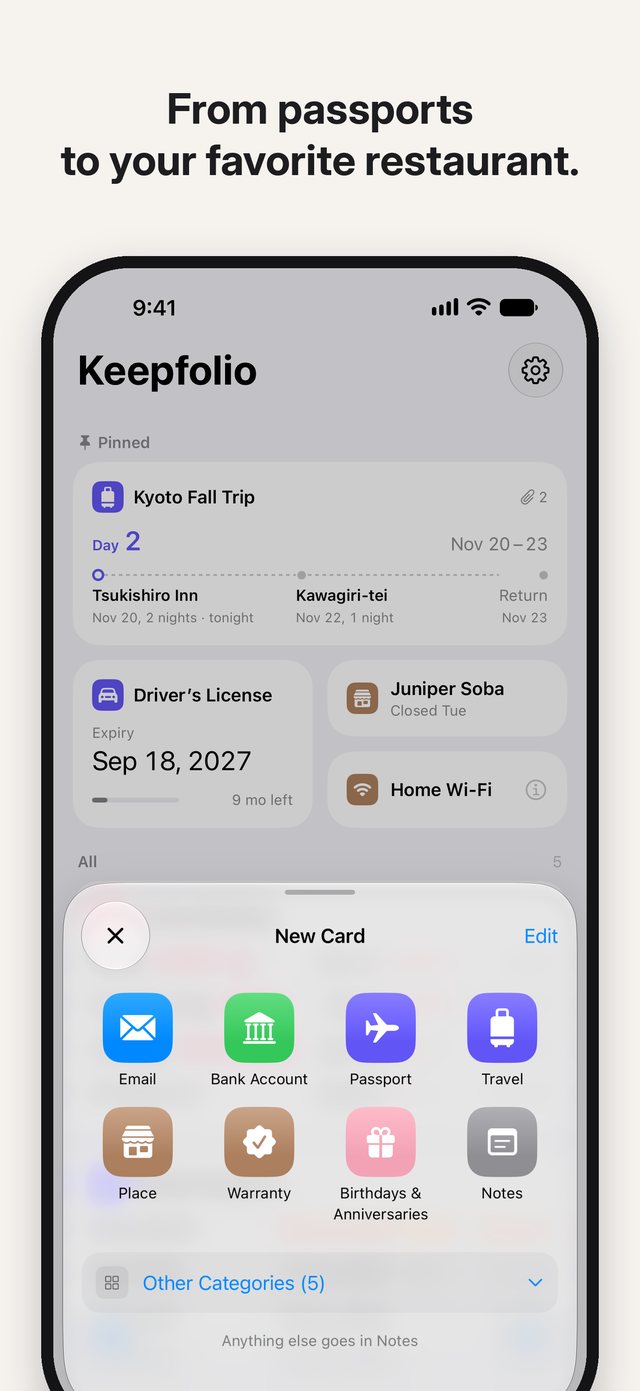
AC and plumbing repairs, car and bike repairs, renovations and painting. You hire someone so rarely that the contractor and the date are easy to forget. A Repairs & Projects card keeps the contractor, their number and a record of every visit, with notes, photos and quotes. The tile on your board shows “Last: 2 years ago”. How it works
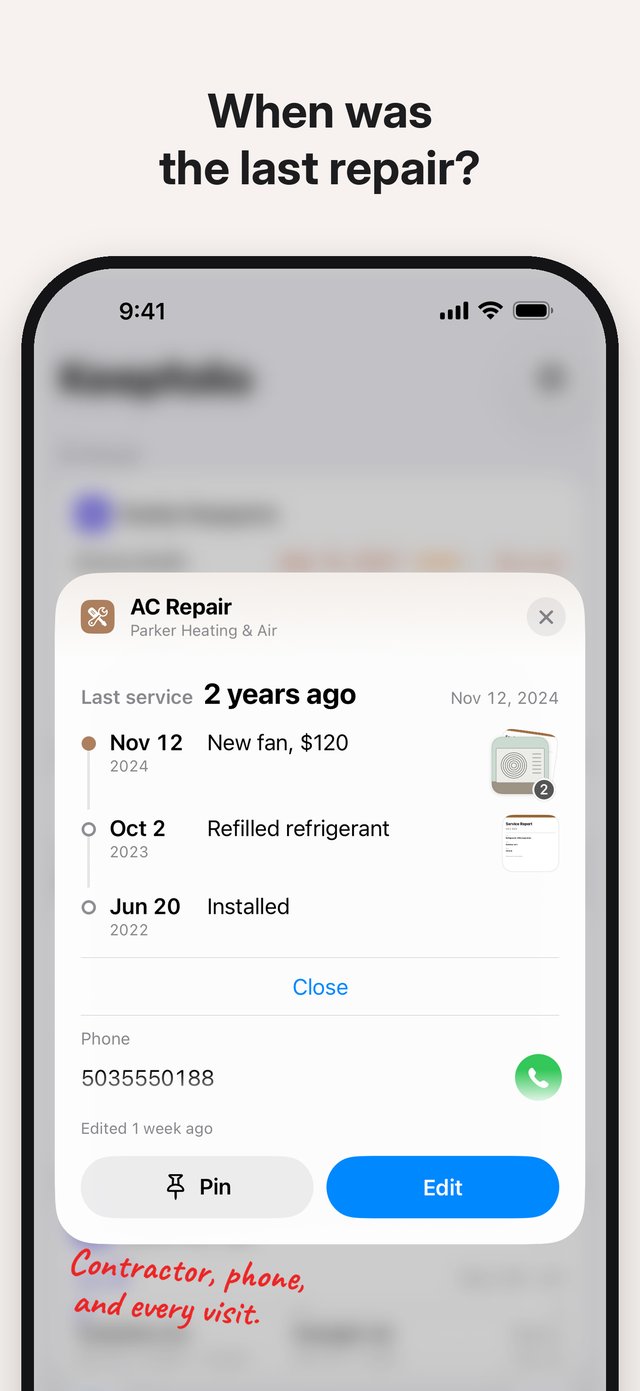
From passports to your favorite restaurant.
Each category comes with a ready-made template. Choose only the categories you use and start writing right away.
- Passport
- Driver’s License
- Card
- Travel
- Birthdays & Anniversaries
- Bank Account
- Phone Number
- Address
- Wi-Fi
- Place
- Warranty
- Repairs & Projects
- Notes
- Tap “Add Another” to keep the whole family on one card
- Pin the cards you use most to keep them at the top
- Search finds words in your cards and inside the PDFs you attach (protected lines never appear in search)
- Take photos, scan documents, or attach photos and files such as PDFs, up to 20 MB each
- The app decides the size and order of the cards, so there is nothing to rearrange
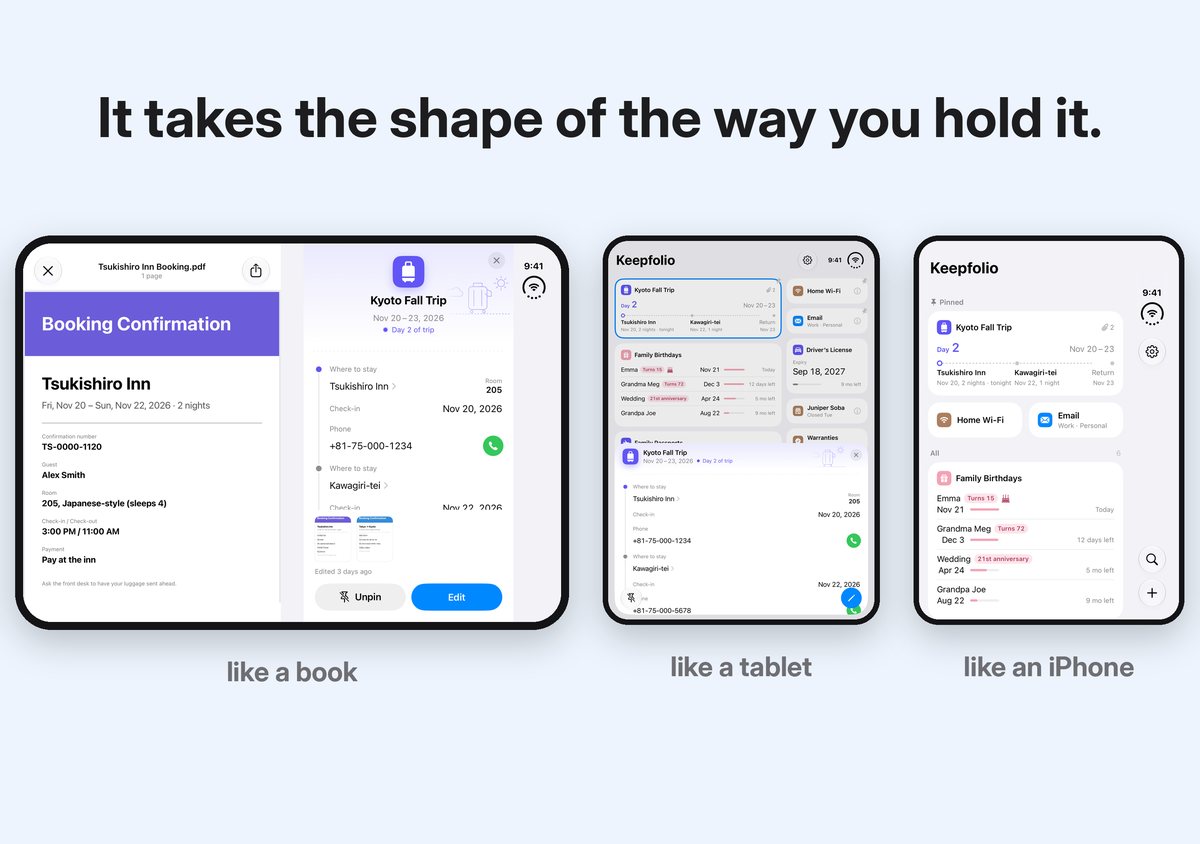
On iPhone Duo, it takes the shape of the way you hold it.
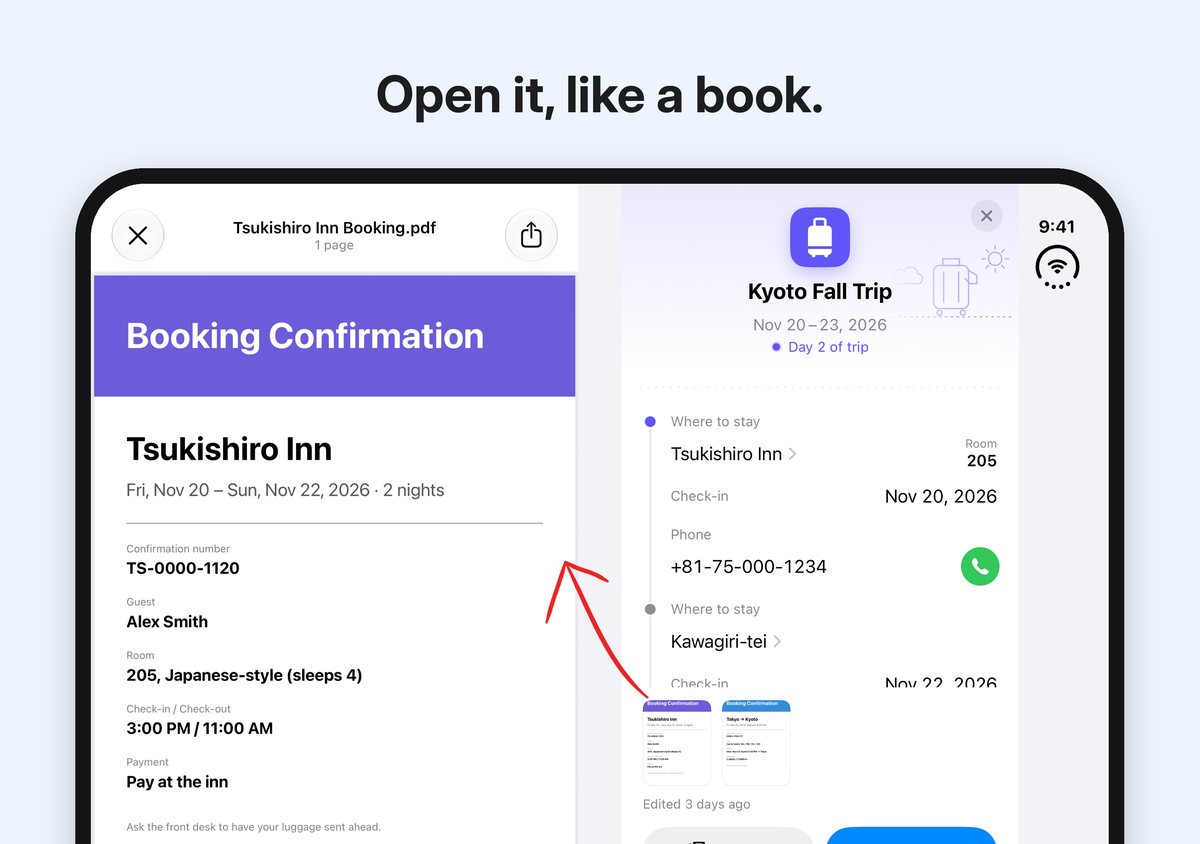
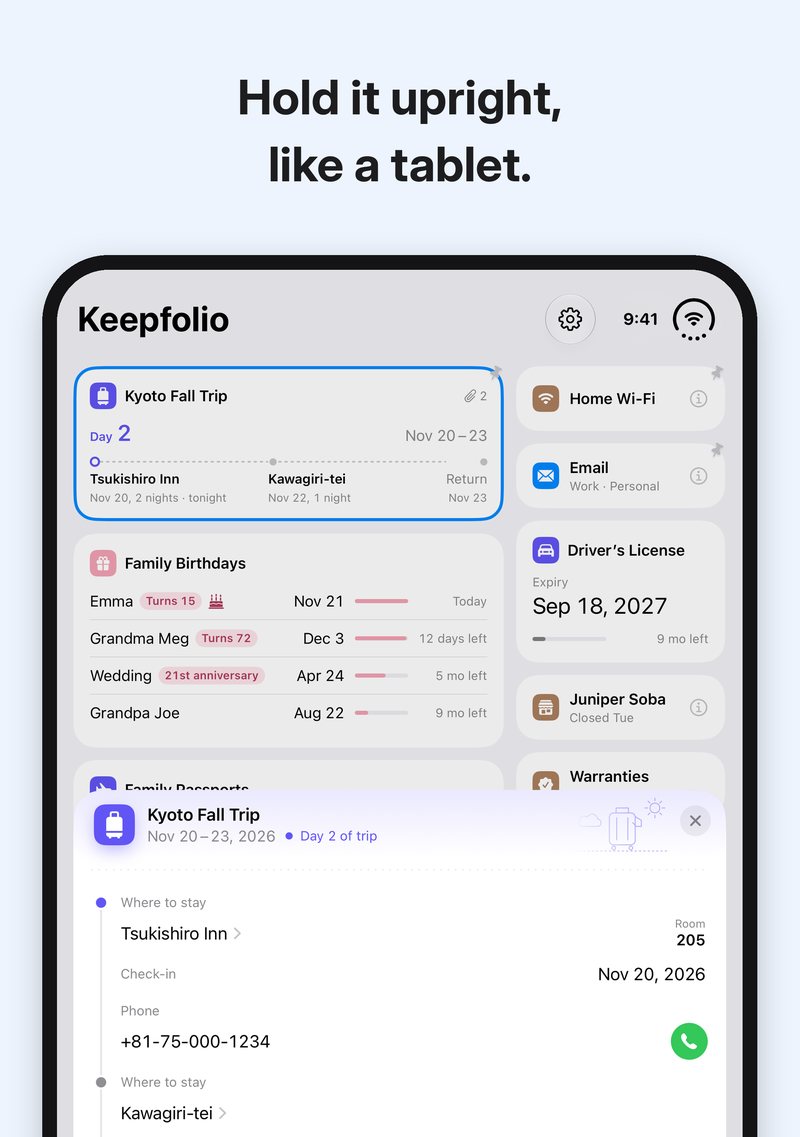
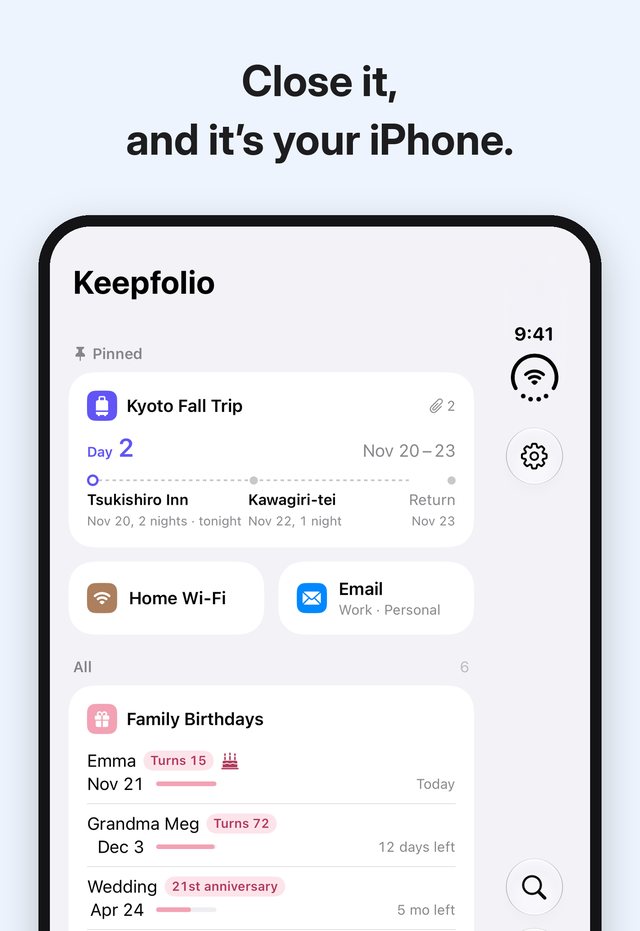
Open it sideways like a book, hold it upright like a tablet, close it and it is your iPhone again.
- Open it sideways, and your board sits on the left page while the card you choose opens on the right
- Hold it upright, and the card you choose rises from the bottom over your board
- Close it, and it is the same Keepfolio you know on iPhone. The card you had open stays open
Sensitive details stay behind Face ID.
- Keepfolio never sends your data to an external server. No ads, no account
- Passport, license, card and account numbers are protected automatically and hidden behind dots. To see one, confirm with Face ID (Touch ID on iPhone models with Touch ID)
- When you copy a protected line, the copy stays on this iPhone only and clears after 60 seconds
- Your data is included in your iPhone backups (such as iCloud Backup), like other apps
- You can also export everything into a file locked with a password. To be sure Face ID-protected lines come with you to a new iPhone, use the export
Pricing and requirements
- Price
- Free to download, with every feature for up to five cards. A single one-time purchase removes the card limit. No subscription. Family Sharing supported.
- Devices
- iPhone (iOS 26 or later). Supports iPhone Duo.
- Languages
- English and Japanese
- What it doesn’t do
- It does not store or sync your data in the cloud by itself. It does not play sounds or show banners. There is no manual card reordering. It is not a password manager. It does not count down warranty periods.
Questions
How is it different from Notes or Reminders?
Notes is a place to write freely. Reminders tells you at a set time and helps you get things done. Keepfolio is a place to keep each kind of information in its own template and see it all on one screen, so that while you are there, you notice the dates and anniversaries on the other cards.
Can I use it to track passport and license expiry dates?
Expiry dates show the time left with a bar and a label such as “3 mo left”, and a number on the app icon tells you when one gets close. But Keepfolio has no timed alerts and no to-do list. It is made for noticing things naturally when you open it, rather than chasing them.
Can I keep my whole family's passports on one card?
Yes. Tap “Add Another” to add each person. On the home screen, they are listed with the nearest date first.
Does it work on iPhone Duo?
Yes. Opened sideways it works like a book, held upright like a tablet, and closed it is your iPhone again. The board fills the wide screen without black margins.
Can I use it to store passwords?
We don't recommend it. Keep passwords for websites and apps in a dedicated app such as Apple's Passwords.
Where is my data stored?
On your iPhone. Keepfolio never sends it to an external server. Like other apps, it is included in your iPhone backups.
How do I move to a new iPhone?
Move your whole iPhone, or import a file made with Export in Settings on the new one. To be sure Face ID-protected lines, notes and attachments come along, use the exported file.
What can I do for free?
Everything, for up to five cards. When you try to make a sixth, you'll see the purchase screen.
Will it send me notifications?
No sounds and no banners. It only shows the number of dates that are close, due today or past as a number on the app icon.
How to Use Support Privacy Policy Terms of Use
Keepfolio: a small extension of human memory.